Front desk and bookings
Fill cancelled slots from your waitlist
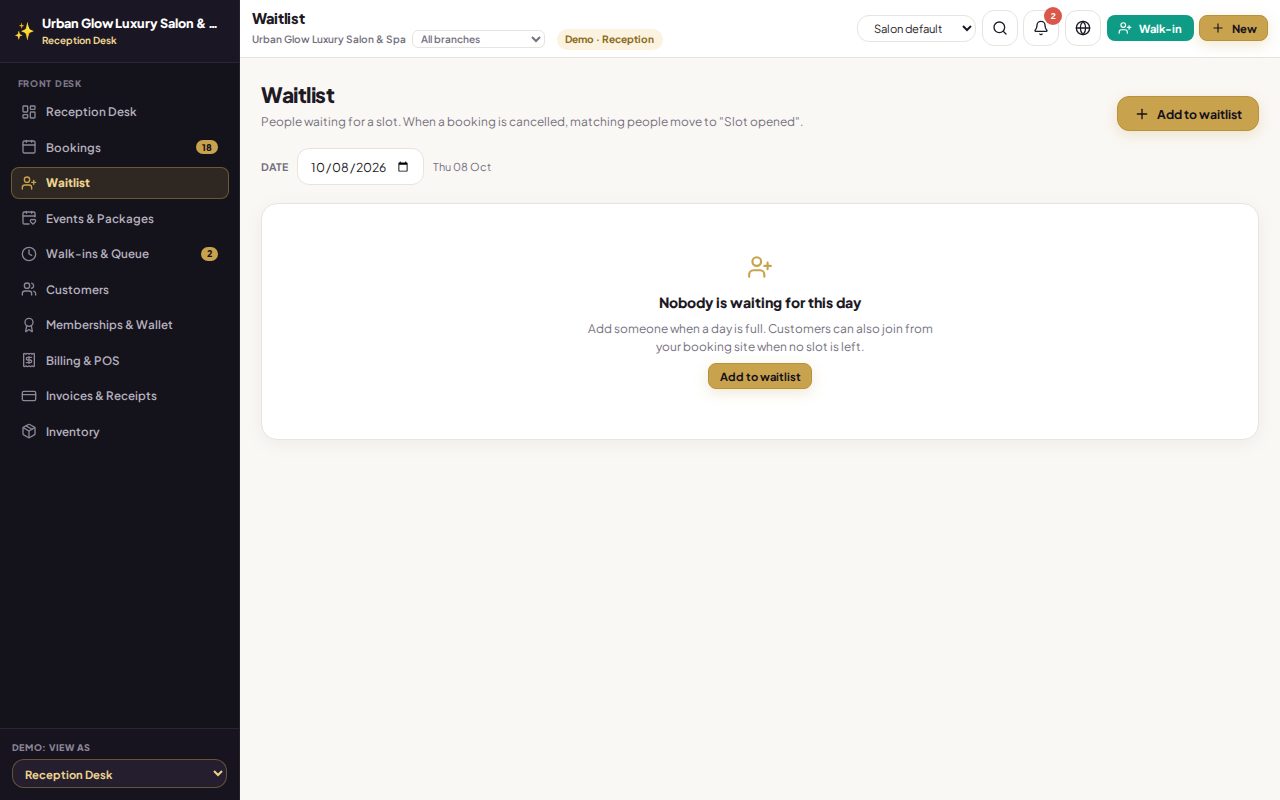
When a day is full, add the customer to the waitlist, or let them join from your booking site. When someone cancels, the people who fit that slot are flagged for you.
Opens the demo as the receptionist. It runs in your browser with sample data, so try anything.
What it does
- Add from the desk: customer, service, date, and optionally a stylist and a time window.
- Customers join online from your booking site when no slots are left.
- Matched when a slot opens. A cancellation or no-show flags the people it fits: same day, same or any stylist, inside their time window.
- One alert, not ten. Staff get a single “slot opened” notification for the day.
- Offer it on WhatsApp with a pre-filled message from your own number.
- Closes itself. Booking the customer that day marks their entry as booked.
Try it in the demo
The demo starts with an empty waitlist, so add someone first.
Press Add to waitlist and add a customer for today, any stylist.
Go to Appointments and cancel one of today’s bookings.
Come back: the entry is marked notified and Offer slot on WhatsApp is ready.
Works together with
See it with your own services and staff
Tell us about your business and we'll set up a walkthrough, or keep exploring the demo on your own.