Running the business
Set up for your kind of business, in your language
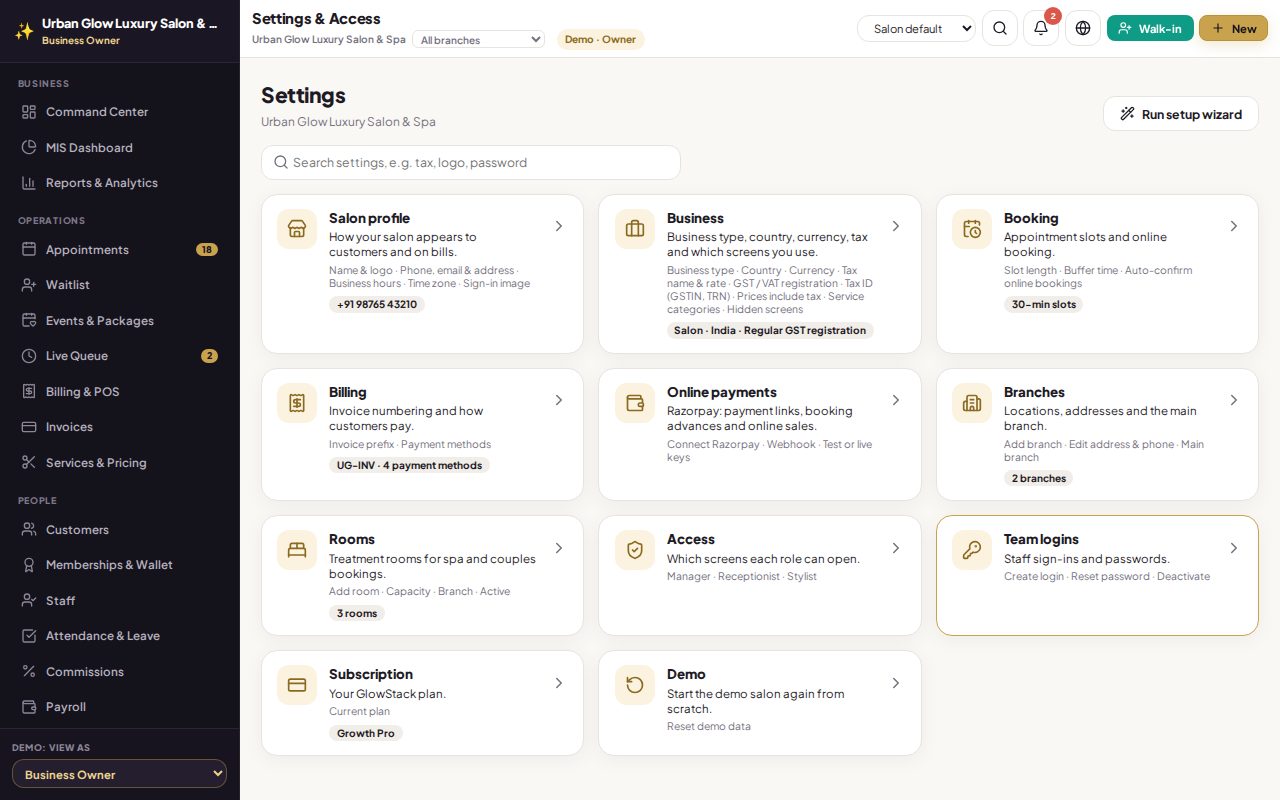
Tell the setup wizard whether you run a salon, a beauty parlour, a spa or work freelance, and where. It prepares service categories, tax and the screens you need, in the language your team reads.
Opens the demo as the salon owner. It runs in your browser with sample data, so try anything.
What it does
- Setup wizard in eight short steps: branding, business, contact, booking, billing, branches, team and done.
- Four business types. Salon, parlour, spa and freelancer each get their own service categories and only the screens they use.
- Fifteen countries, with currency, tax name and rate, tax ID label, time zone and language filled in.
- GST your way: not registered, composition or regular.
- Five languages: English, Hindi, Tamil, Telugu and Arabic (right to left), for the team and for customer messages and bills.
- Per device: the salon sets a default and each person can choose their own.
- Hidden screens keep their data; turn them back on any time.
Try it in the demo
The demo salon is set up as an Indian salon with regular GST.
Change the language in the top bar to हिन्दी.
In Settings & Access, press Run setup wizard.
Works together with
See it with your own services and staff
Tell us about your business and we'll set up a walkthrough, or keep exploring the demo on your own.