Staff and payroll
Commission nobody has to argue about
Set a percentage or a fixed amount for each person. Commission is worked out on every paid service, line by line, and each stylist can see their own.
Opens the demo as the salon owner. It runs in your browser with sample data, so try anything.
What it does
- Percentage or fixed per service, set for each person.
- Fair base: a percentage is worked on the service after discount and before tax.
- Counted when paid: only services on paid or partly paid bills count.
- Package sessions count at the value of the session, even though the customer paid earlier.
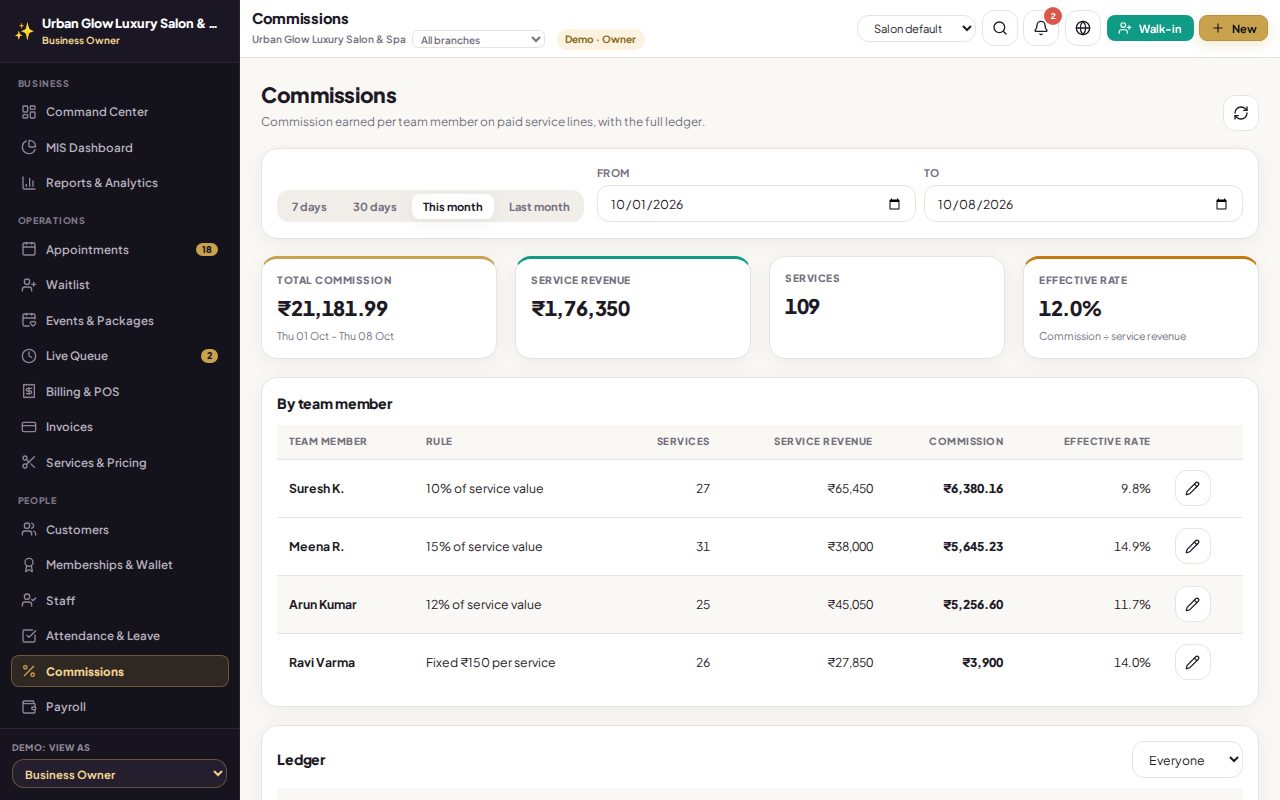
- Totals and a ledger for any date range: services, revenue, commission and the effective rate.
- Stylists see their own earnings, and nobody else’s.
- Changes apply to new bills, never to bills already issued.
Try it in the demo
The demo team is on 10, 12 and 15 percent, and one barber on a fixed amount.
Pick this month and compare commission across the team.
Open one stylist’s ledger to see every bill behind the total.
Switch the demo to Stylist Portal and open My Earnings.
Works together with
See it with your own services and staff
Tell us about your business and we'll set up a walkthrough, or keep exploring the demo on your own.