Billing and money
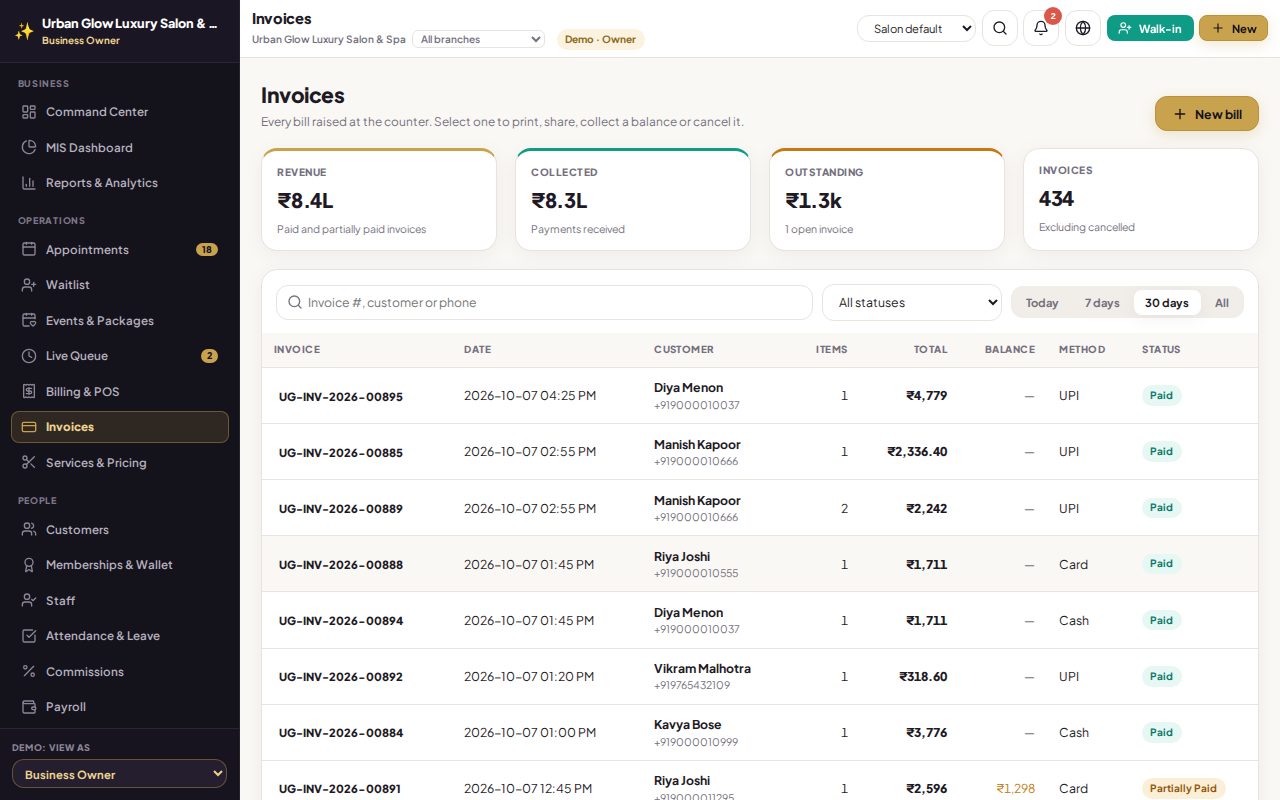
Get paid by link, recorded on the bill for you
Connect your own Razorpay account. Send a link for any balance, ask for an advance on online bookings, and let customers buy plans from your site; each payment lands on the right bill once.
Online payments need your own Razorpay account, so they are not part of the demo. Book a walkthrough to see them.
What it does
- Your own Razorpay account, with keys stored encrypted; only the owner can connect or disconnect it.
- Links for balances. Generate a link for what is due and send it on WhatsApp; it stays valid for seven days.
- Recorded automatically, once. The customer pays by UPI, card or net banking and the payment is added to the bill.
- Advances on online bookings. Ask for a percentage; it is held for 30 minutes and kept in the customer’s wallet for the bill.
- Sell online. Customers buy memberships, packages, gift cards and wallet credit from your booking site.
- Overpayments go to the wallet, never lost.
Works together with
See it with your own services and staff
Tell us about your business and we'll set up a walkthrough, or keep exploring the demo on your own.