Billing and money
Every bill, and every rupee still due
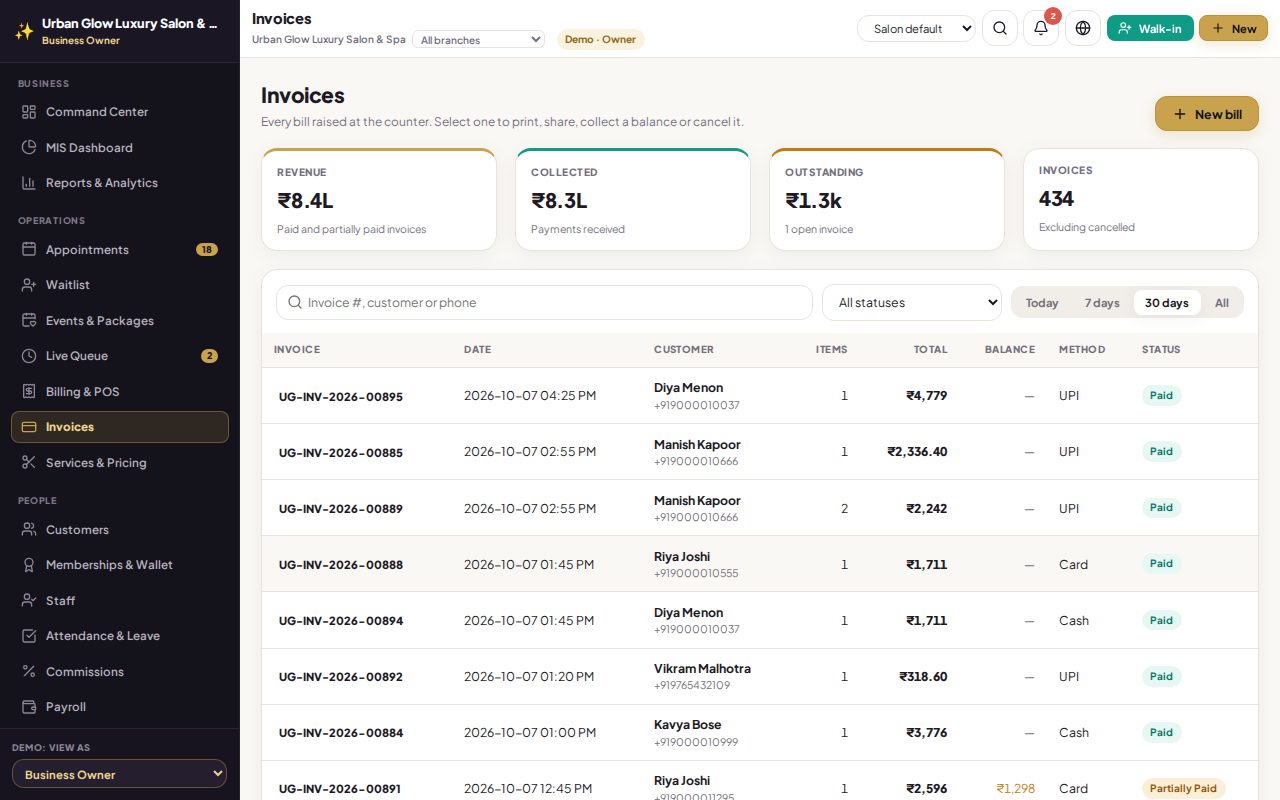
Search by bill number, customer name or phone. See what was collected and what is outstanding, take a later payment on the same bill, and cancel with a recorded reason.
Opens the demo as the salon owner. It runs in your browser with sample data, so try anything.
What it does
- Search by invoice number, customer name or phone digits.
- Filter by status (paid, partly paid, draft, cancelled) and by date range.
- Totals for revenue, collected and outstanding.
- Collect later. Record a payment on a partly paid bill or a draft; paying a draft finalises it.
- Overpaid? Keep it in the wallet. Extra money is refused unless you choose to credit it to the customer’s wallet.
- Cancel with a reason, owners and managers only; stock and wallet changes are reversed.
Try it in the demo
The demo has three months of bills, some of them partly paid.
Filter to Partially Paid and open a bill.
Record the balance in cash: the bill becomes paid.
Search for a customer by the last digits of their phone.
Works together with
See it with your own services and staff
Tell us about your business and we'll set up a walkthrough, or keep exploring the demo on your own.