Billing and money
Know what is on the shelf before it runs out
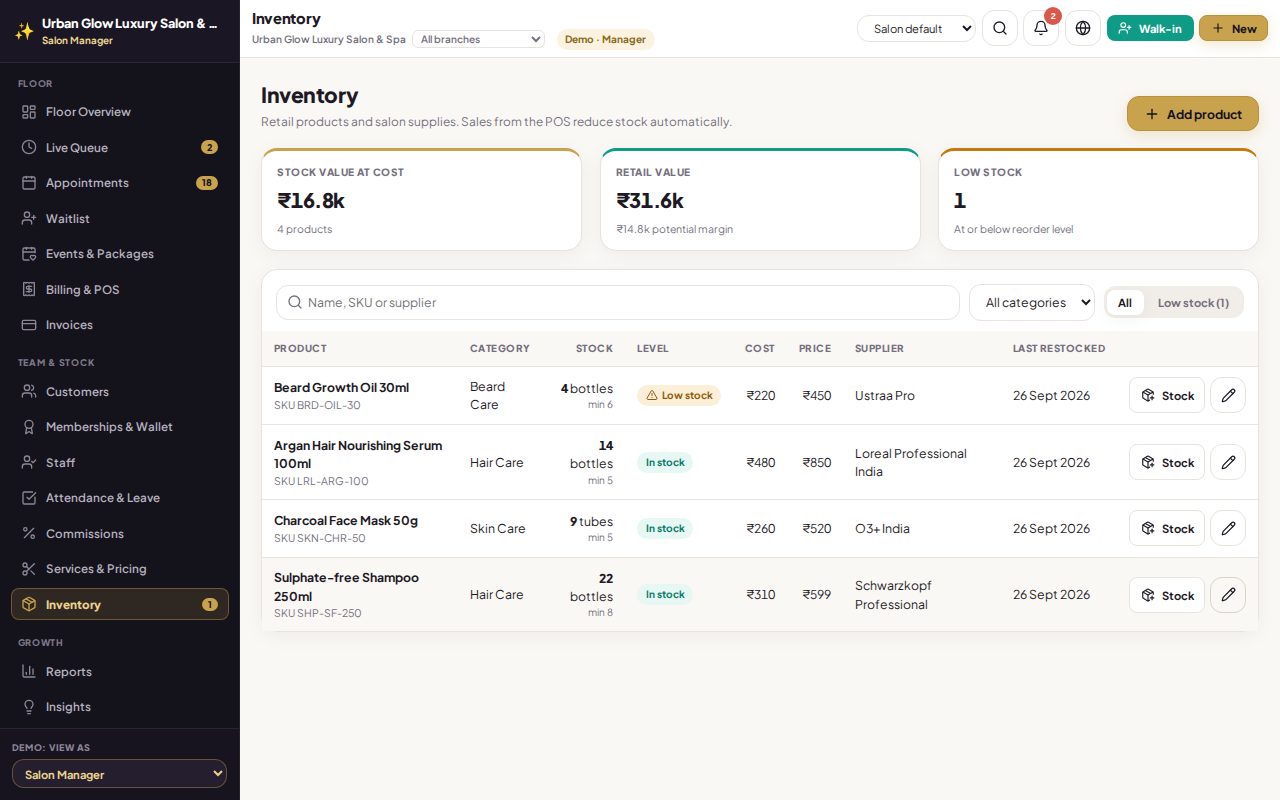
Keep each product’s price, cost, supplier and reorder level. Stock goes down when it is sold on a bill, and you are told when it runs low.
Opens the demo as the manager. It runs in your browser with sample data, so try anything.
What it does
- Product details: SKU, category, cost and selling price, unit, supplier and reorder level.
- In stock, low or out, at a glance, with a count in the menu.
- Stock value at cost and at retail, with the margin.
- Restock or adjust with a reason; stock never goes below zero.
- Sold on the bill. Products leave stock when a bill is finalised and return if it is cancelled.
- Low-stock alerts when a sale takes a product to its reorder level.
Try it in the demo
In the demo, beard oil is already below its reorder level.
Filter to Low stock.
Restock the beard oil and watch its badge change.
Sell a product in Billing & POS and see the stock go down.
Works together with
See it with your own services and staff
Tell us about your business and we'll set up a walkthrough, or keep exploring the demo on your own.